Passwords & Files — one vault

Your passwords and your files, locked in one encrypted vault.

CipherPaths is a free, lightweight Windows app that unites a password manager and an encrypted file manager. Everything stays on your machine — no cloud, no subscriptions, no compromise.

100% free Portable < 1 MB Fully offline OpenSSL encryption
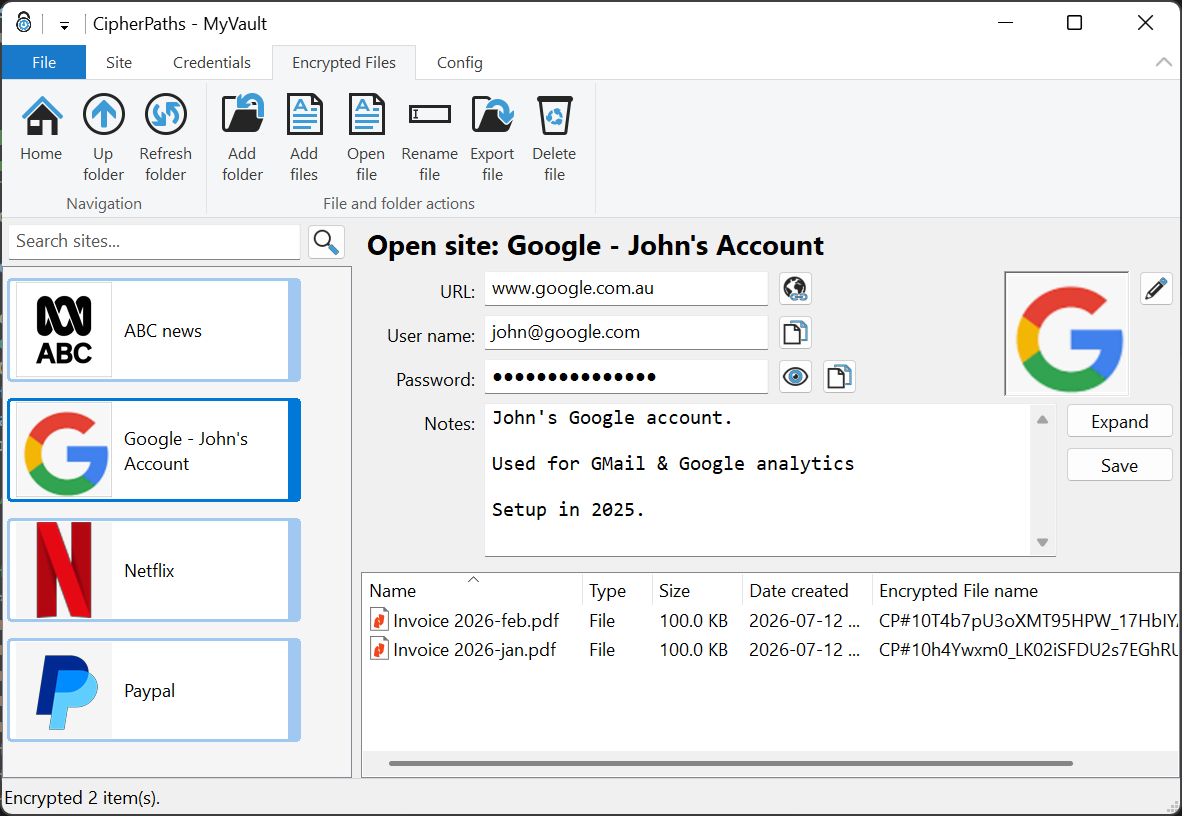
CipherPaths main window showing accounts, credentials and encrypted files
More than a password manager

One vault for the secrets that matter

Most tools guard your logins. CipherPaths guards your logins and your documents, photos, PDFs and notes — all encrypted, all in the same place.

Password manager

Store web logins, credit cards and contacts. Built-in generator, one-click copy and auto-clearing clipboard.

Encrypted files

Drag documents, images and PDFs into your vault. File names and contents become unreadable on disk.

Built-in viewer

View images and PDFs without ever writing a decrypted copy to disk — everything happens in memory.

Local & private

No cloud accounts, no telemetry, no subscriptions. Your vault is an ordinary folder that you control.

Passwords

Every credential, neatly organised

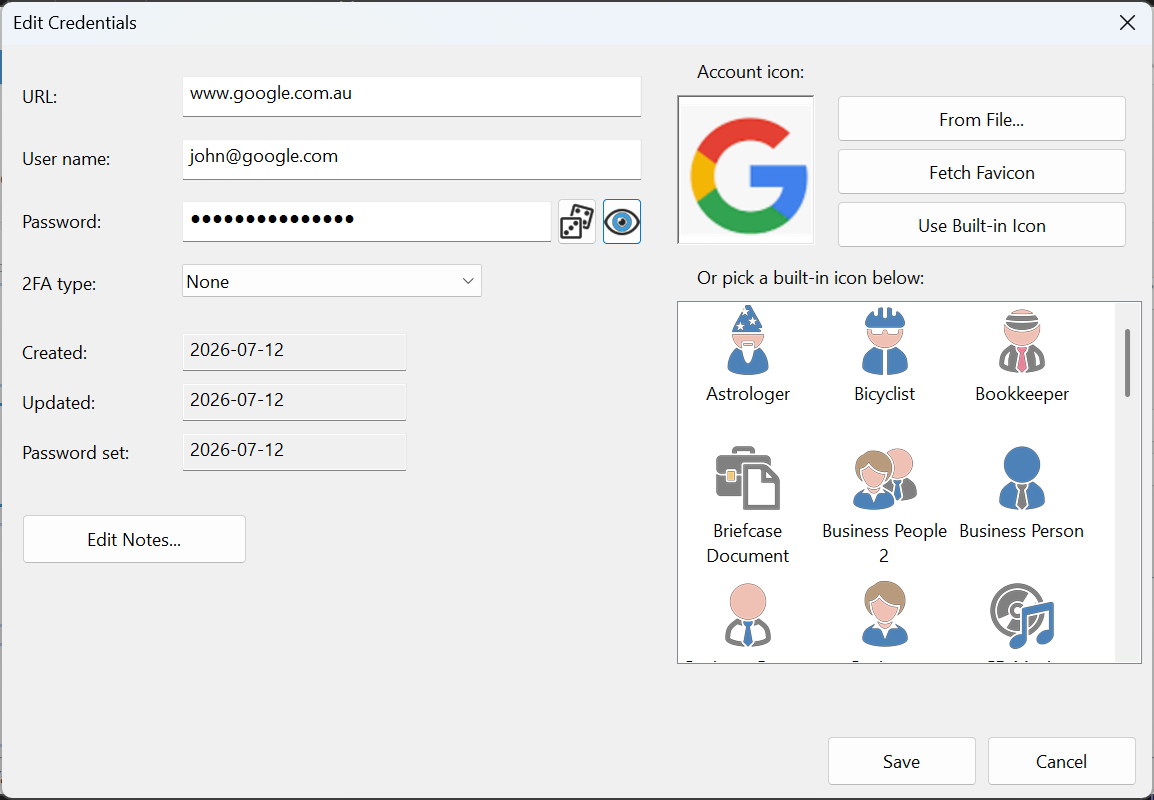
Each account is a colour-coded tile with its own icon. Open one to see its URL, username and password with quick actions to launch, copy and reveal — plus free-form notes and encrypted attachments.

  • Web logins, credit cards and contacts
  • Fetch site favicons or pick a built-in icon
  • Notes and attached files per account
  • Instant local search across your vault
Edit Credentials dialog with account icon options
Files

Encrypted on disk, effortless in the app

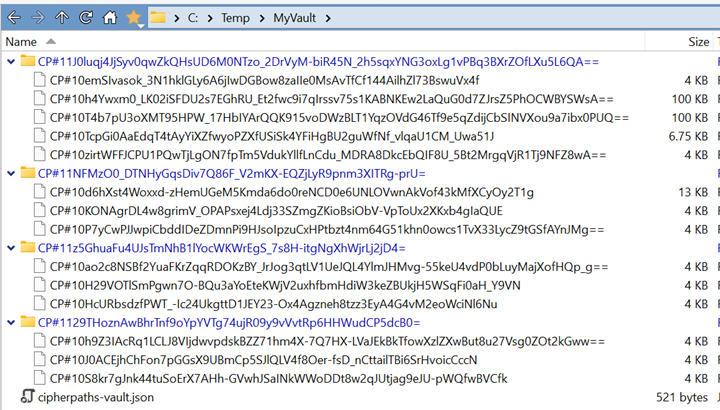
Outside CipherPaths, your files look like random names and unreadable data. Inside, they are organised in familiar folders. Add files by drag & drop and open them in the built-in viewer.

  • File and folder names are encrypted, not just contents
  • Decrypt individual files — never the whole vault
  • Handles very large numbers of files without slowing down
  • File sizes are padded to hide their real length
Windows Explorer showing the encrypted vault with random file names
Viewer

Read files without decrypting them to disk

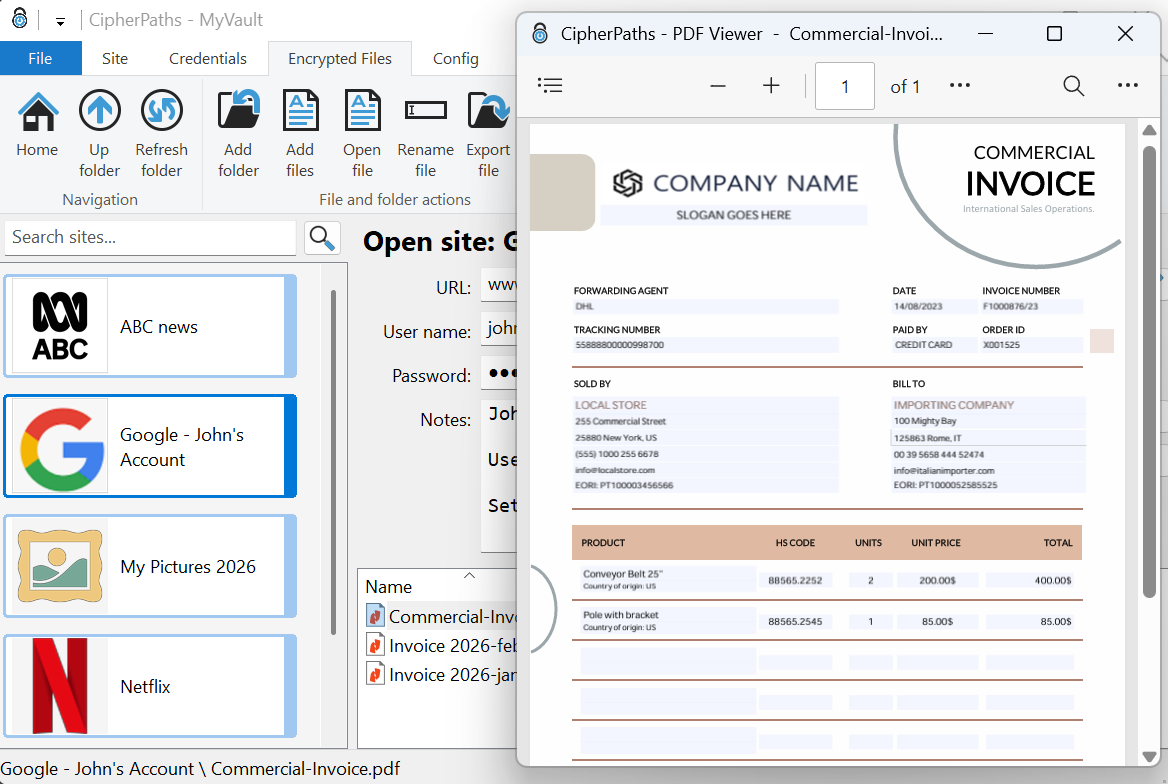
Double-click a document, image or PDF and it opens in a dedicated viewer window. The decrypted data lives only in memory for as long as you need it — nothing plaintext ever touches your drive.

  • Images (JPEG & PNG) with smooth scaling
  • PDF viewing powered by Microsoft Edge WebView2
  • Keyboard navigation between files in a folder
Built-in PDF viewer showing an invoice from the encrypted vault
Why CipherPaths

Built differently on purpose

A pragmatic design that keeps you in control of your data.

Completely local

Your vault is a normal folder in the Windows file system. Keep it on your PC, a USB stick, or optionally sync it with your own cloud drive.

Portable & tiny

The executable is under 1 MB. No installer required — unzip and run. Multiple instances can even share one vault.

Proven encryption

AES-256-GCM with keys derived via PBKDF2 and HKDF, built on the open-source, independently audited OpenSSL library.

Ready to lock down your digital life?

Download CipherPaths for Windows — it's free, portable, and takes less than a minute to set up your first vault.

Download now